
In this article, you'll find the instructions on how to add a Bill expense.
What is a Bill?
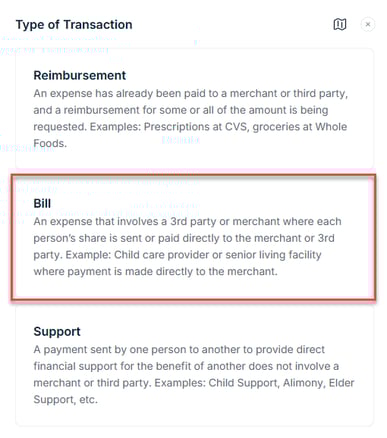
A bill in SupportPay is an expense that involves a third-party or merchant, where each person’s share is paid directly to that merchant or third party. To add a bill expense, follow the instructions below:
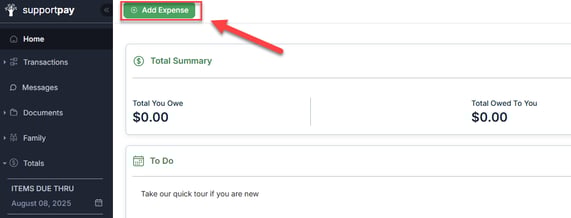
1. Click on the green Add Expense button at the top of the page.
2. Select Bill from the pop-up window.
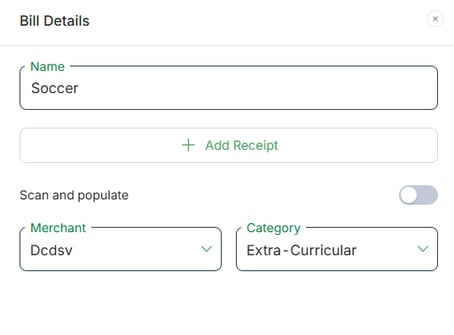
3. Enter the bill details (name, merchant, category). Here, you can also upload a receipt if you have one for the expense you're creating by clicking on the + Add Receipt button.
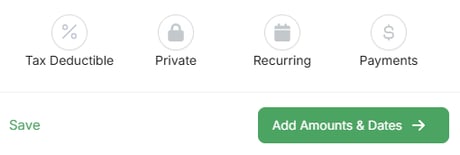
Additionally, you can also indicate if this expense is tax deductible, private, or recurring by selecting the appropiate option. Also, you can click on the Payments button, to indicate that you will be making the payment at once. When ready, click on Add Amounts & Dates.
Pro tip: Click on the Save button to continue adding the expense later (if you need to) without losing your progress.
4. Enter the bill amount and the rest of the required details. Once ready, click on Review Bill.
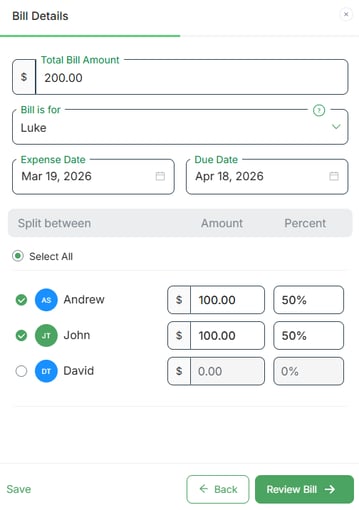
5. Take a moment to review your bill details and include any comments if needed. Upon completion, click Create Bill.
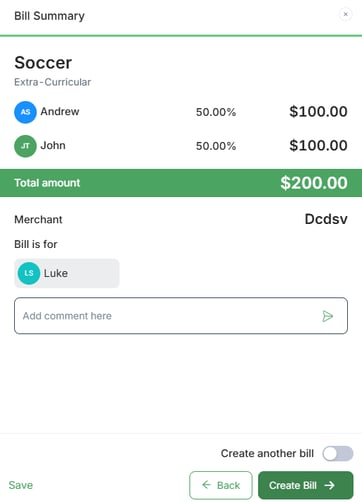
And that's it! For any inquiries regarding this process, feel free to reach out to us at help@supportpay.com. We're here to assist you every step of the way.