
Custom category splits let you allocate a category’s expenses across family members using different percentages instead of an equal split. To create one, follow the steps below.
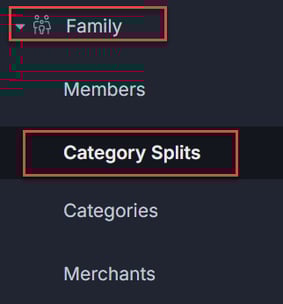
1. Click the Family tab at the left-hand side menu and select Category Splits.
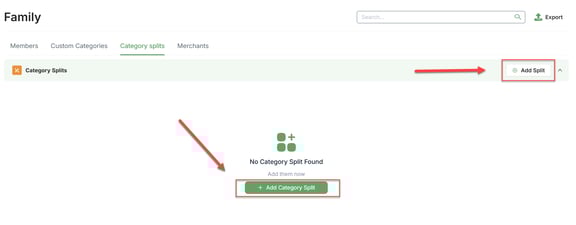
2. Click the Add Split button all the way to the right of the Category Splits tab. You can also click the green + Add Category Split button if there are no splits yet.
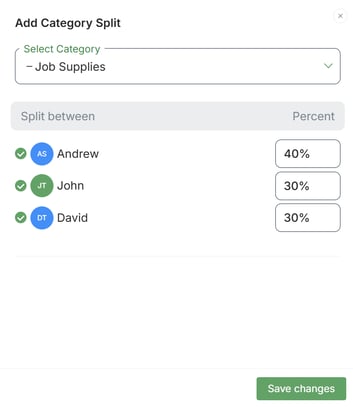
3. Select the category from the drop-down menu, and the percentage of each share. Once ready, click Save Changes.
Congratulations! You've added a Custom Category Split. If you have any questions about this process, please don't hesitate to contact us at help@supportpay.com.