
Changing the password of your SupportPay account is easy! Follow these simple instructions below:
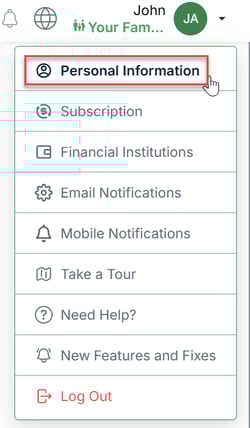
1. Click on your name at the right-hand top corner of the screen and select Personal Information.
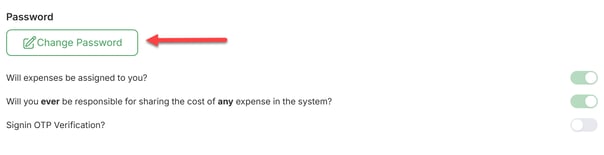
2. Scroll down and click on the Change Password button.
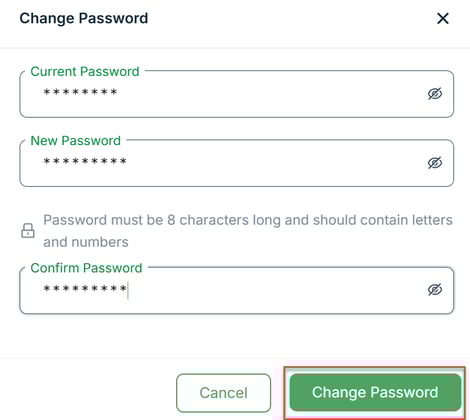
3. A new window will pop-up. Enter your current and new password, and then click on Change Password.
Congratulations! You've now updated your account's password. Please don't hesitate to contact us at help@supportpay.com if you have any questions about this process.