
In SupportPay, you have the ability to make payments to other family members without leaving the platform. To do it, first you need to register your bank account for bank transfers by following the instructions below.
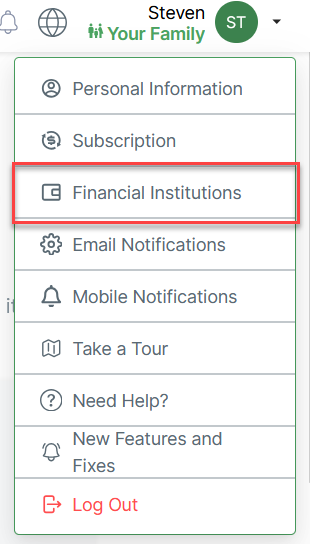
1. Click on your name at the right top corner of the screen, and select Financial Institutions.
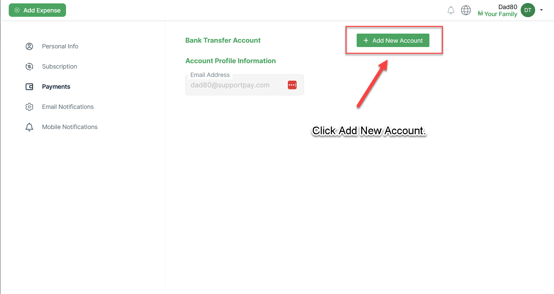
2. Click on the Add New Account button.
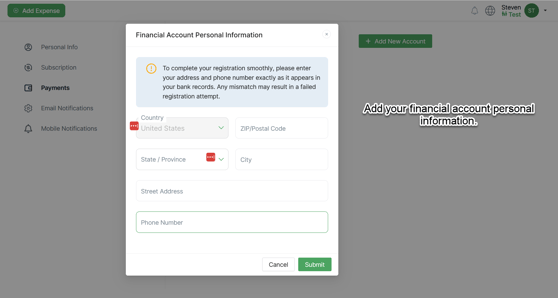
3. Enter your phone number and address that match your financial account information.
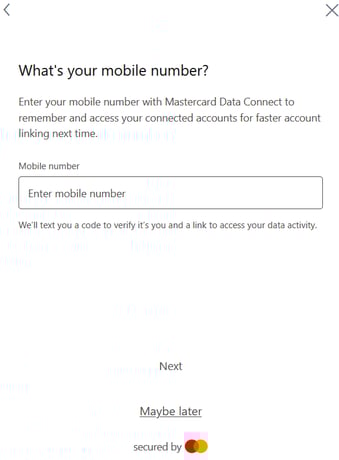
4. Verify your phone number with a verification code by following the instructions on the screen.

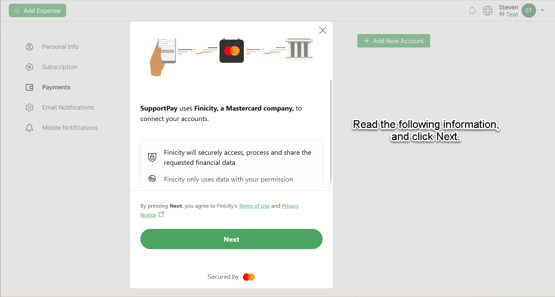
5. Read the information on the following screen, then click on Next.
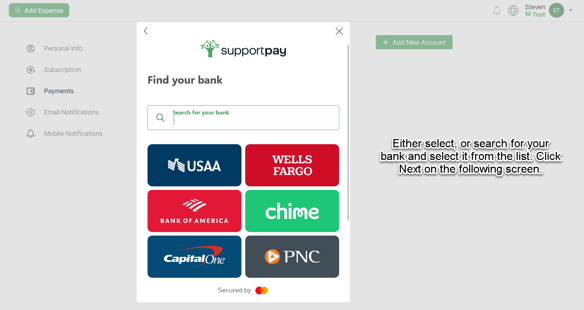
6. Select your bank if it shows in the bottom squares, or search for your bank account if it is not shown already. Then, click on Next.
Note: If you can't find your bank or prefer to do a manual verification, please follow the instructions listed here.
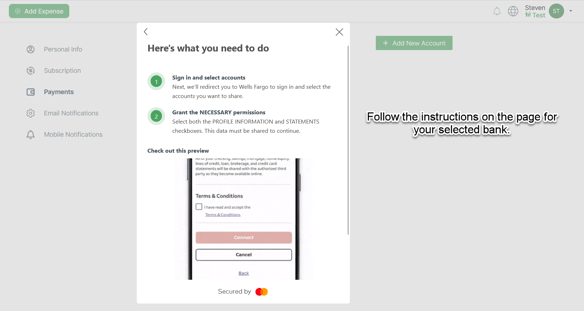
6. Each bank will have different instructions on how to add your bank account, so follow the instructions that appear after selecting your bank.
Once you have completed these steps, your bank account will be linked to your SupportPay account! You may now begin sending and receiving payments via bank transfer.
Please feel free to contact us at help@supportpay.com if you have any questions. We're here to help!