
If you’re managing multiple families in SupportPay, you can easily switch between them while logged in. Follow the steps below:
1. Click on the name of the current family, located below your name in the top-right corner of the screen.

2. Select the family you want to switch to. Then, click on Switch Family.
Pro Tip: You can also create a new family from this screen by clicking Create New Family.
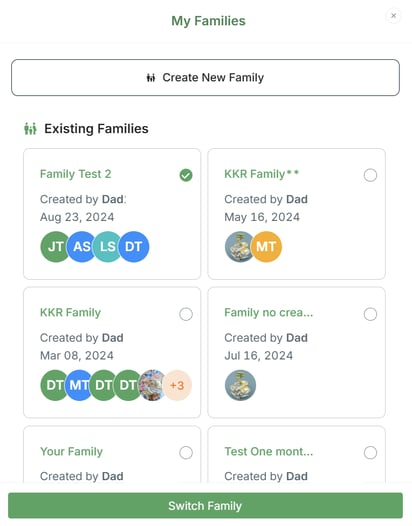
Once selected, the system will update to display the information for the chosen family, allowing you to manage its expenses, payments, and activity.
Please don't hesitate to contact us at help@supportpay.com if you have any questions, and we'll be happy to help.