
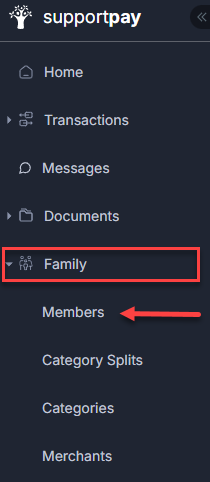
You can easily view and manage family members in your SupportPay account from the Family screen, which you can access by clicking on the Family tab on the left-hand side menu and select Members, as shown in the image below:
Once there, you will be able to view all family members. You can add as many family members as you need from this page and re-send invitations to those who have not joined yet after being invited.
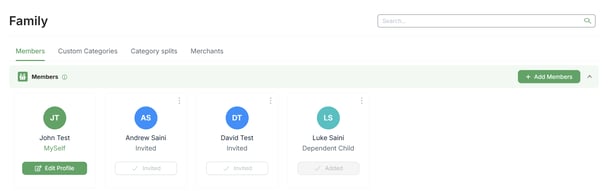
Also, you can add more information about your family by clicking on the + Add Family Details button at the bottom of the page.

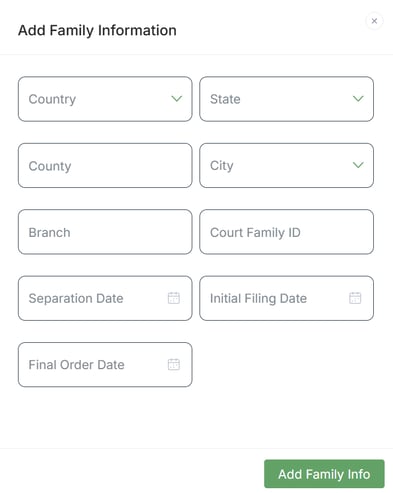
Once you do that, a pop-up window will come up where you can enter the details and, when ready, click on Add Family Info to save it.
If you have any questions about this topic, please don't hesitate to contact us at help@supportpay.com.