
The Email Notifications feature in SupportPay provides ongoing visibility into your account activity. These emails include details such as expenses and payments that have been recorded in your account.
Depending on your notification settings, you may receive instant, daily, weekly, or monthly emails when activity occurs in either your account or the other parent’s account.
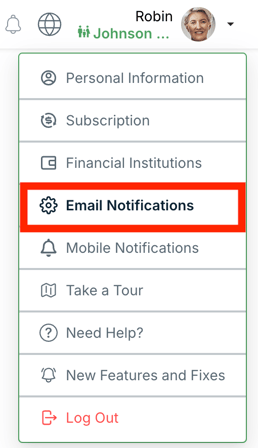
You can update or disable email notifications at any time by logging into SupportPay and navigating to the Email Notifications section in your profile:
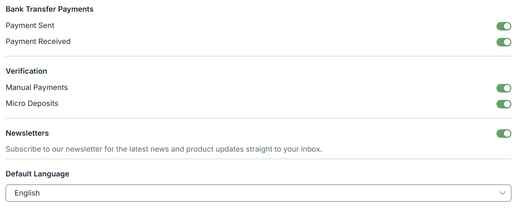
In the Email Notifications screen, you can manage all the email notifications easily, such as Activity Notifications, Summary Emails, Bank Transfer Payments, etc.: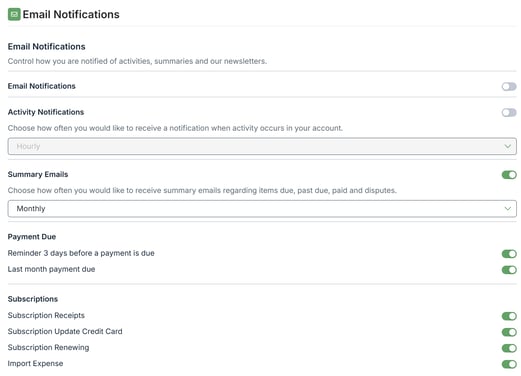
If you have any questions, please contact us at help@supportpay.com. We'll be more than happy to help!
Please note that all data in SupportPay is entered by users. SupportPay is not connected to, nor does it share data with, any government child support agencies