
If you can't find your bank or prefer to use your routing and account number to register for bank transfers, you can manually register your bank account by following the instructions below:
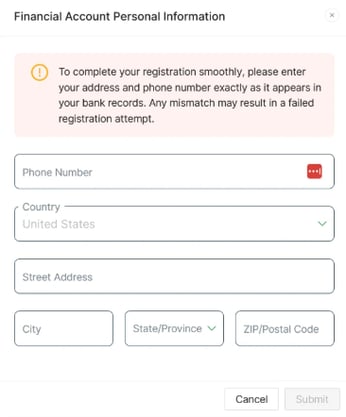
1. Enter your bank account personal information. This information must match exactly as it appears on your bank account.
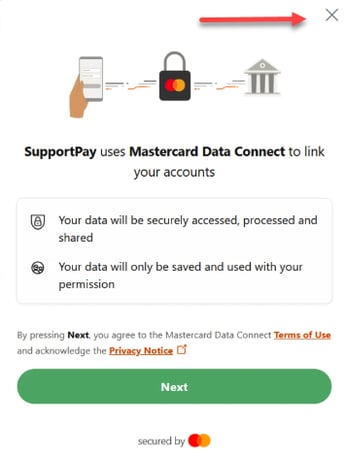
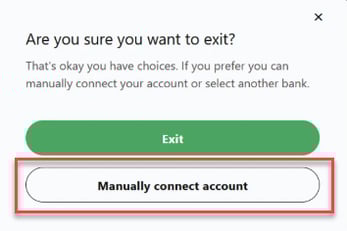
2. On the following screen, click the “X” in the top right-hand corner, then select the “Manually connect account” option.
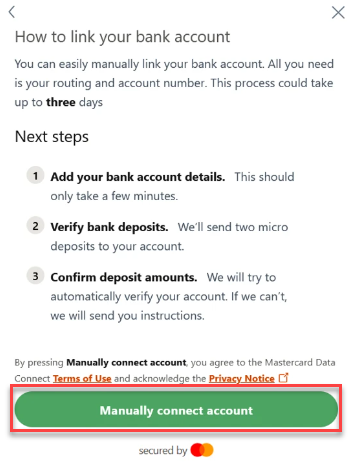
3. Carefully read the instructions on the following page and then click the Manually Connect Account button to continue.
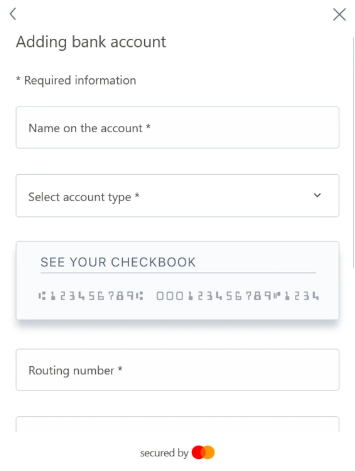
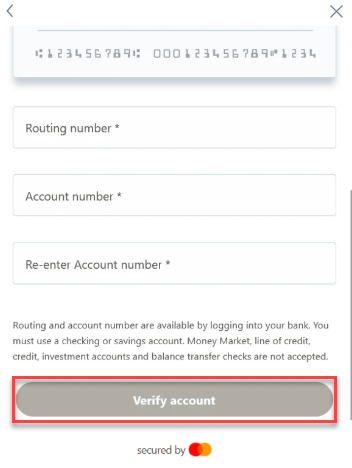
4. Enter the required information and click the Verify Account button at the bottom.
And that's it! Please note that manual verification can take 3 to 5 business days to complete.
Don't hesitate to reach out at help@supportpay.com if you need assistance with this process. We'll be more than happy to help if that's the case.